How to Choose a Dive Computer: A Beginner's Guide
What a dive computer does and how it differs from a dive watch. Wrist or console, air integration, nitrox, screen, battery, and which one suits a new diver.
A dive computer looks like a wristwatch, but underwater it does far more than tell the time. This guide explains what a dive computer is, what it shows you during a dive, how it differs from a watch that is only water-resistant, and what to look at when you choose one: wrist or console, air integration, nitrox modes, screen and battery. Then we match the computers we sell to the divers they suit.
The principles come from PADI and DAN (Divers Alert Network). The model details come from the Aqualung and SCUBAPRO websites.
What is a dive computer?
A dive computer gives you dive information in real time. PADI explains that it feeds your depth and time underwater into a decompression model to estimate the nitrogen in your body, then shows how much dive time you have left. One device works as your depth gauge and timer, and some also work as a pressure gauge.
It keeps recalculating your remaining time from your actual depth and time. PADI says a dive that changes depth at several levels is much easier to manage with a computer than to plan with dive tables.
Dive watch vs dive computer: what's the difference?
A PADI article explains that without a computer, a diver needs a dive watch, dive tables and a depth gauge together to work out a safe bottom time. A dive computer does all of that in one package. Another PADI article says it looks like a chunky digital wristwatch, but it does more than keep time.
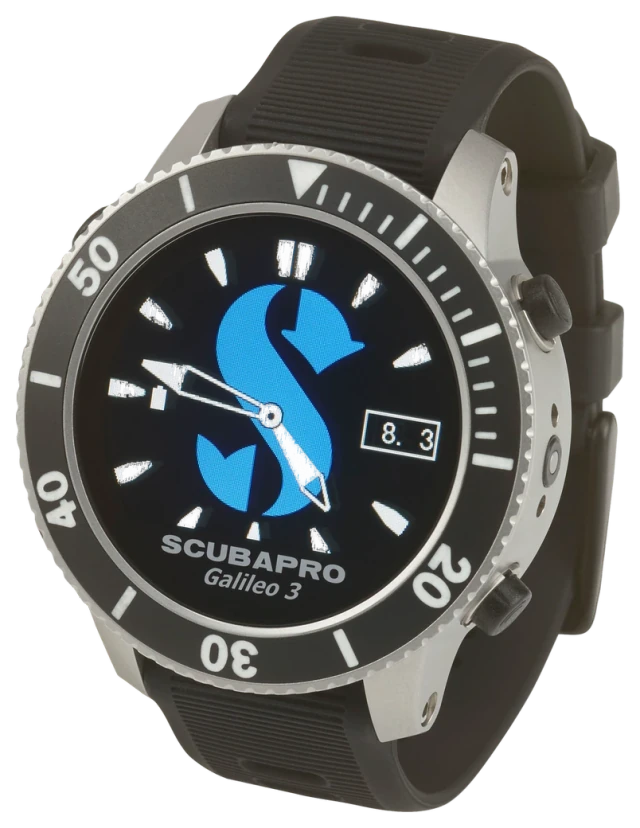
So check what you are buying. A watch that is only water-resistant, and doesn't measure depth or calculate your remaining dive time, is not a dive computer. Some units combine a watch and a computer in one small device; PADI calls this a watch combo. One example is the SCUBAPRO Galileo 3, which SCUBAPRO says gives you a dive computer with the comfort and style of an everyday wristwatch.
What a dive computer shows you underwater
What PADI lists on a standard dive computer display:
- Depth: how deep you are now
- Dive time: how long you have been down
- No-stop time (NDL): how many minutes you can stay at this depth before you need decompression stops
- Ascent rate: how fast you are going up
- Emergency decompression information
- Previous dive information: look back at your earlier dives
- Low-battery warning
A PADI article says any good dive computer should show the basics at a glance: maximum depth, current depth, dive time and no-stop time.
DAN recommends adding a safety stop to every dive. Some computers let you set the safety stop; Aqualung lists an adjustable safety stop on the i330R.
Remember that the computer doesn't know your body. DAN stresses that its model reflects "an average diver, not you", and PADI says plainly that a computer isn't going to keep you from getting injured, because it doesn't know your age or fitness.
How to choose a dive computer
PADI suggests starting with the diving you do now and the diving you plan to do, and checking that the computer works with the gear you already have. Then compare features one by one. PADI also suggests asking a dive centre for advice before you buy.
Wrist or console
PADI says a dive computer can sit on your wrist or in your console. A console computer is built in with other instruments, such as a pressure gauge (SPG) or a compass. A wrist computer is a separate unit. Which one you pick comes down to preference and the gear you already own.
The computers we sell are wrist computers, and Aqualung says the i300C can also be mounted in a console.
Air integration and transmitters
Some computers show how much air is left in your tank. PADI explains that this works either through a hose to your regulator or through a transmitter on the first stage. A computer that doesn't connect to your air supply suits most recreational divers, in the view of one PADI article's author.
Our computers that work with a wireless transmitter:
- Aqualung i770R: shows tank pressure and Gas Time Remaining. Pair a transmitter once and it stays paired for life, and it works with up to four transmitters on a single dive.
- SCUBAPRO Galileo 3 and Galileo 3 Titanium: show tank pressure and true remaining bottom time (RBT), with your air use factored into the calculation.
The i770R comes either as "Computer only" or "With transmitter" (one transmitter in the set), and the Aqualung Transmitter is also sold on its own. For both Galileo 3 models a compatible transmitter is sold separately and is not in the box (Aqualung lists its Transmitter for the i450T, i470TC, i750TC and i770R). Planning to use one? Ask us on LINE before you order.
Nitrox modes
PADI lists enriched air (nitrox) compatibility as a standard feature, and tells new divers to choose a computer that has it, so they can dive nitrox once they are certified.
Every computer we sell has a nitrox mode, set from 21% to 100% O₂. They differ in how many gases they handle. The i100 takes 2 gases, the i300C and i330R up to 3, and the i770R lets you switch gases underwater. Both Galileo 3 models handle up to 8 nitrox and trimix tanks, with settings for CCR and sidemount, which PADI lists as technical diving features.
Screen: can you read it with your mask on?
PADI suggests checking that you can read the display with your mask on, whether you prefer numbers or graphics, and whether you understand how to get to the data you need.
Our computers come with two kinds of screen. The i100 and i300C have a segment LCD. The i330R (an IPS screen that Aqualung says reads even in direct sunlight), the i770R (TFT) and the Galileo 3 (with backlight) have colour screens.
Battery: replace it or recharge it
PADI notes that some computers take a replaceable battery and others are rechargeable, and says to change or recharge it as the manufacturer describes.
- Replace it yourself: the i100 and i300C run on a standard battery you change yourself, and they keep your settings and calculations during the change. Aqualung gives no battery type or battery life.
- Rechargeable: the i330R and i770R use a lithium-ion battery. The i330R charges through a magnetic cable, and lowering the screen brightness extends battery life. Aqualung gives no hours per charge.
- Rechargeable, with hours given: both Galileo 3 models use a rechargeable lithium battery that gives up to 30 hours per charge, depending on your settings (according to SCUBAPRO).
Backlight, water activation and alarms
One PADI article's author counts all three as essentials. He says he would never buy a computer without a backlight. A water-activated computer turns on and starts calculating as soon as it hits the water, which helps because divers sometimes forget to switch it on. And choose alarms, sound or light, that are easy to adjust.
- The i300C and Galileo 3 have a backlight; the i100 does not.
- The i100, i300C and i770R switch on when they touch water.
- The i100, i300C and i770R have audible alarms plus a high-visibility LED warning light.
Choosing a dive computer for beginners
- Pick a conservative computer: a PADI article's author says the less experienced you are, the more conservative a computer you want. DAN also suggests choosing more conservative settings, and PADI warns that less conservative settings may raise your risk of decompression injury.
- Try before you buy: PADI suggests playing with demo units at dive shops. Check that you can see everything you need, that it fits your wrist and your gear, and that the menus are easy to use.
- Know it before you dive: PADI says read the manual, try each function and set your units and water type. DAN adds that you should know which buttons to press and which decompression model your computer uses.
- Use the same computer all day: DAN says divers should never start another dive on the same day with a different dive computer, because the new one has no record of your earlier dives. The same goes for a rental.
Buy now or rent first? One PADI author counts a computer among the basics worth owning early, with fins, boots and a mask, and says it is common for new divers to buy these after their Open Water course. For the full picture of what to buy and what to rent, read our scuba gear list.
Our dive computers and who they suit
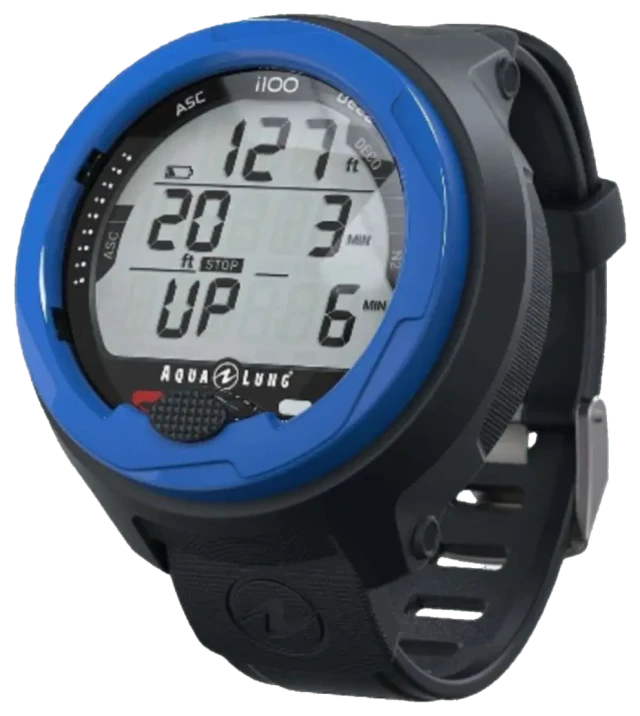
- Aqualung i100 · ฿8,890: Aqualung made this entry-level model for new divers. One button, 2 gases, no backlight, no Bluetooth (dive data comes off through a cable sold separately) and no compass.
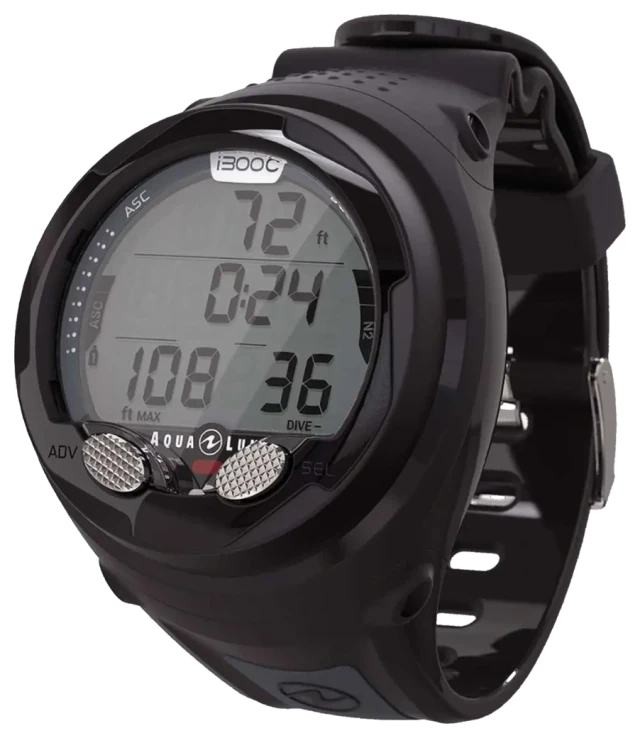
- Aqualung i300C · ฿11,790: Aqualung calls it great for new and experienced divers alike. Two buttons, a backlight, up to 3 gases, Bluetooth to your phone and console mounting. Look here if you want the backlight or Bluetooth the i100 lacks.
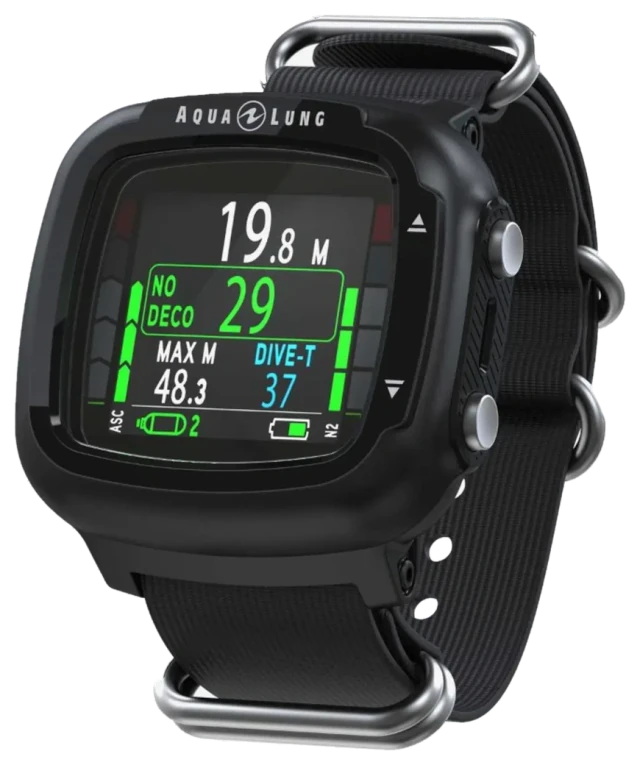
- Aqualung i330R · ฿14,490: Aqualung aims it at advanced divers who travel. Colour screen, rechargeable battery, Bluetooth, no compass. New divers, look at the i100 or i300C first.
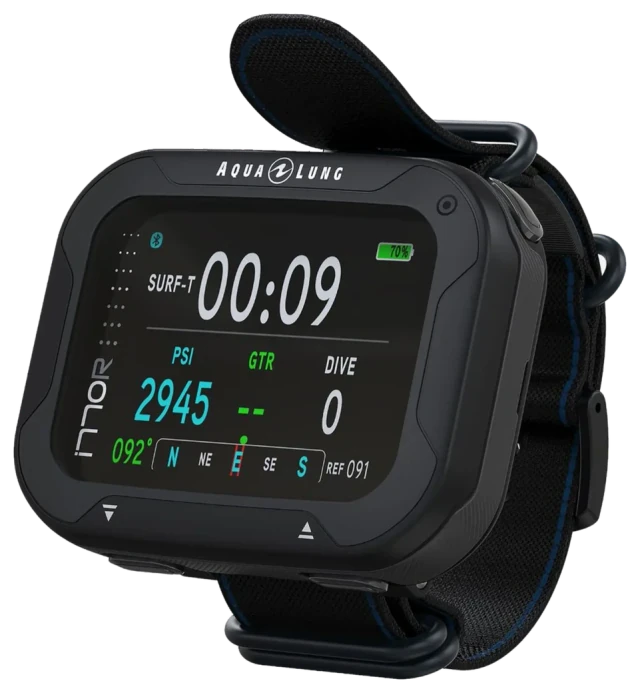
- Aqualung i770R · from ฿27,390: Aqualung made it for tech-savvy divers. TFT colour screen, three buttons, wireless air integration (one version comes with a transmitter), a 3-axis digital compass and a rechargeable battery. New divers who want an easy computer, look at the i100 or i300C.
- SCUBAPRO Galileo 3 · ฿15,690: watch style, stainless steel housing, colour display with backlight, four buttons, a 3D digital compass and wireless air integration (transmitter sold separately). Dive modes include Scuba, Gauge and Apnea. For divers who want one computer to wear as a watch every day.
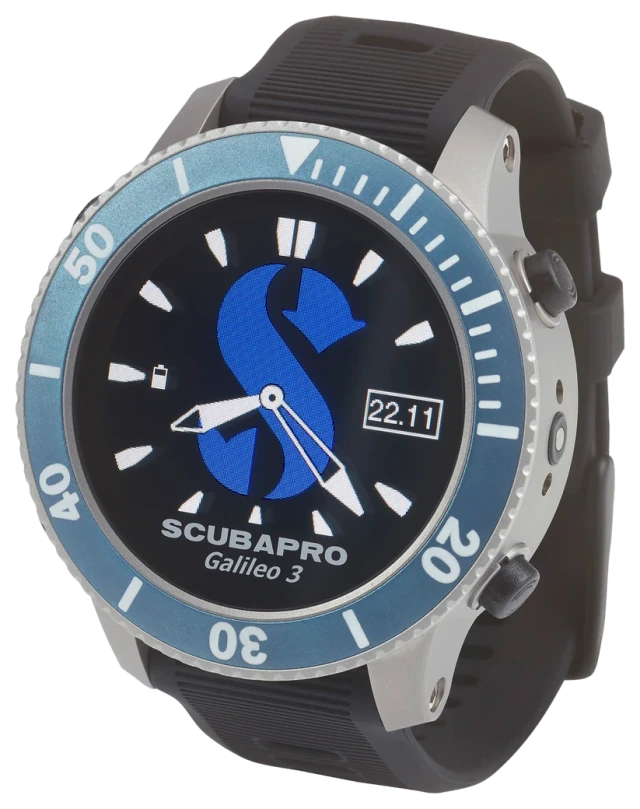
- SCUBAPRO Galileo 3 Titanium · ฿22,290: the Galileo 3 in a titanium case, which SCUBAPRO gives as 99 g, with a deep blue bezel. The menu and main features match the Galileo 3.
Both Galileo 3 models also have settings for trimix, CCR and sidemount. Not sure how many features you need? Ask us on LINE before you choose. See every model on our dive computers page.
| Model | Buttons | Screen | Battery | Compass |
|---|---|---|---|---|
| Aqualung i100 | 1 | Segment LCD | Replace yourself | No |
| Aqualung i300C | 2 | Segment LCD with backlight | Replace yourself | No |
| Aqualung i330R | 2 | IPS colour | Rechargeable | No |
| Aqualung i770R | 3 | TFT colour | Rechargeable | 3-axis digital |
| SCUBAPRO Galileo 3 | 4 | Colour, with backlight | Rechargeable | 3D digital |
| SCUBAPRO Galileo 3 Titanium | 4 | Colour, with backlight | Rechargeable | 3D digital |
Prices and ordering
Each model's price is in the list above; we confirm price and stock on LINE @diverecords when you order. Pick the model (and colour, where there is a choice) on the product page, then tap order on LINE. Shipping within Thailand is free on orders from ฿2,000; below that, we tell you the shipping fee in the chat before you pay. Full terms are on our shipping and returns page.
Caring for your dive computer
PADI recommends rinsing it in fresh water after every use, keeping it out of direct sunlight, storing it somewhere cool and dry, and changing or recharging the battery as the manufacturer describes.
Bottom line
A dive computer is more than a water-resistant watch. It measures depth and time and tells you how much longer you can stay down. Choose for the diving you do now and plan to do, make sure you can read the screen with your mask on and find your way around the menus, and if you are new, pick one that is conservative and easy to use. Not sure which model fits you? Ask us on LINE.
FAQ
What is a dive computer?
A device that measures your depth and dive time and uses a decompression model to estimate the nitrogen in your body, so it can show how much longer you can dive (PADI).
What is the difference between a dive watch and a dive computer?
A watch that is only water-resistant tells the time but doesn't calculate your remaining dive time. PADI explains that a dive computer does the job of a dive watch, dive tables and a depth gauge in one device. Some can also be worn as an everyday watch.
Which dive computer is best for beginners?
Of the computers we sell, Aqualung made the i100 for new divers and calls the i300C great for new and experienced divers alike. A PADI article's author advises new divers to pick a conservative computer.
Do I need air integration or a transmitter?
No. One PADI article's author says a computer that doesn't connect to your air supply suits most recreational divers. If you want tank pressure on your wrist, the i770R and both Galileo 3 models work with a wireless transmitter (in the box only with the i770R "With transmitter" version).
How much does a dive computer cost?
When this guide was written, our dive computers ran from ฿8,890 (Aqualung i100) to ฿33,690 (Aqualung i770R with transmitter). Each model's price is in the list above; we confirm price and stock on LINE @diverecords when you order.